
Home
Getting started
Bring your software with Docker
Core concepts
How-to guides
Monitor and debugging
Developer tools
Glossary
Documentation HPCThis is a Core Concept page which offers an overview of key topics essential for understanding Tasks. Start here for foundational knowledge, then explore our guides and tutorials for more in-depth learning.
A task describes a computation to perform on compute nodes. It is defined by its profile (the software and associated configuration) and constant.
You can use Task to perform
For more information on Tasks please read our How to section and Tutorials
Explain the basic principles or paradigms that underpin how the product works.
You are billed for the task execution duration which is the time during which your task is being processed on each executing node.
Parameters taken into account are:
Scheduling type / Pricing plan, between
Hardware used
When you don't specify hardware requirements (like GPU, CPU, or RAM), Qarnot automatically selects the best available hardware to run your task. The pricing is designed so that the cost remains balanced, regardless of the hardware. This means that if your task runs on a more powerful (and usually more expensive) machine, it will complete faster but cost about the same as it would on a slower, less expensive machine that takes longer to finish the task. This way, the price-to-performance ratio stays consistent, ensuring fair billing no matter which hardware is used.
The action you can perform on tasks are:
When creating a task you can use several parameters to configure
These are the minimum parameters you need to use when creating a task
name: Given Name of the tasksprofile: Profile used by the task. Should be one of the available profiles for the user. Should not be set if the task is using in a pool.For more information on profile please read Core Concepts > Profile documentation
You can get several useful data from your Task using the UI or the API.
11 States are used to describe a Task State:
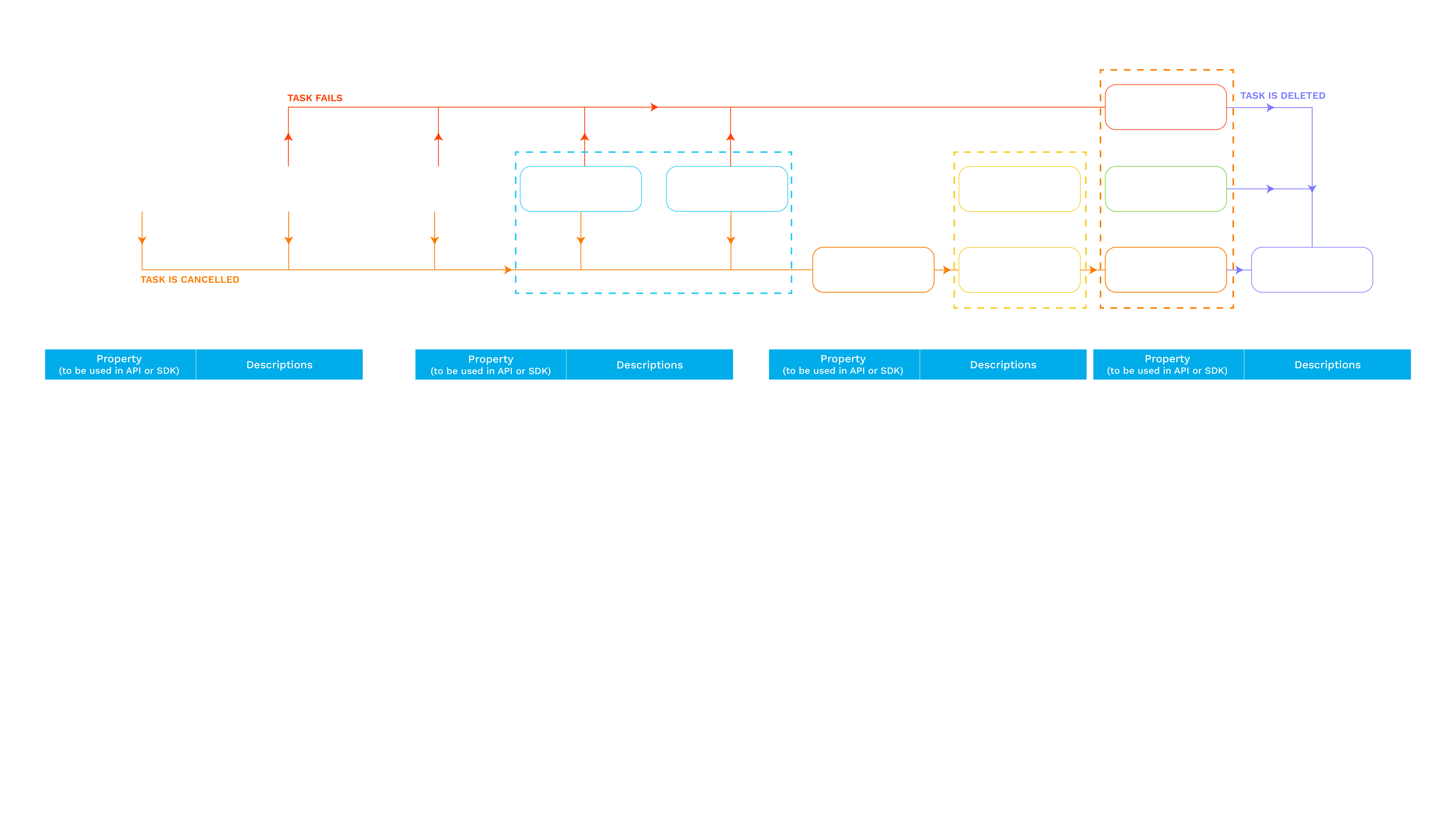
For each state you can get key metrics or additional information to help you keep track of your computation or analyse its performance
downloadTime: Time of the resources download.uploadProgress: Task result upload progress.uploadTime: Time of the results upload.executionProgress: Execution progress.instanceCount: Number of running instances.environmentTime: Environment set up time, ie. the time needed to boot the server and launch your task.executionTime: Execution time.executionTimeByMachineSpecification: Time of the task execution with each machine specification.executionTimeByInstanceId: Time of the task execution with each machine specification.executionTimeGhzByCpuModel: Relative Time (Ghz) of the task execution with each cpu model.wallTime: Task's wall time.wallTimeSec: Task's wall time in seconds.succeededRange: Succeeded instances range.executedRange: Executed instances range, ie. the succeeded range plus the failed range.failedRange: Failed instances range, if there is any.cancelledRange: Cancelled instances range, if there is any.failedOnlyRange: Failed instances range without the cancelled range, if there is any.startedOnceRange: Instances that have started at least once, used for minimum billing.All metrics are available in TasQ GUi as well as using the API, SDK and CLI.
Scaling is a key factor in parallel computing to speed up your computing.
Each instance is informed of its ID (Number of the task) by the ${INSTANCE_ID} environment variable and sends its log with its ID as prefix.
For more information see “Launching multiple instances”.
instanceCountAdvancedRanges instead. The use of one of InstanceCount or AdvancedRanges is required. Maximum number of instances depends on your quotas.advancedRanges
Range of task instances, represented by a comma-separated list of specific id values or continuous ranges defined by hyphens (-). (Optional - override InstanceCount). Specify an advanced range instead of an InstanceCount. The use of one of InstanceCount or AdvancedRanges is required. Maximum number of instances depends on your quotas.For more information see our storage article
You can attach files to your task, when computing, they are mounted to your task server in a Network file system.
The output of your computation is then uploaded to the Result Bucket and you can choose to filter the files to be exported using whitelist and blacklist parameters.
resourceBuckets or advancedResourceBuckets
Decription: Names of the buckets containing resources for the task. The buckets should already exist in the user storage account. If you need to specify a prefix use AdvancedResourceBuckets. The use of either ResourceBuckets or AdvancedResourceBuckets is required. Maximum number of buckets: 100.resultBucket
Description: Name of the bucket containing results of the task. If the bucket does not exist in the user storage account, it will be created.resultsWhitelist
Description: (Optional) Regex of whitelisted files for results. Should be less than 2,048 characters. You can use the values of task constants in the regex using ${CONSTANT_KEY}.Results Blacklist: resultsBlacklist
Description: (Optional) Regex of blacklisted files for results. Should be less than 2,048 characters. You can use the values of task constants in the regex using ${CONSTANT_KEY}.resultsBucketPrefix
Description: Prefix to add to bucket for results.A snapshot is a capture of the temporary results of a task. It is especially important for Multi Physics simulations or machine learning where tasks processing can be long drawn out and intermediate results can help understand if the solution will converge.
You can choose to perform a single or periodic snapshots of your tasks (using the API, SDKs or the UI). The snapshot parameters can be defined at the task creation or overridden when running the snapshot command. These parameters enable you to select the snapshot files to be exported to your snapshot bucket or a sub folder. You can also choose to export all results files by leaving these parameters empty.
snapshotWhitelist
Description: (Optional) Regex of whitelisted files for snapshots. Should be less than 2,048 characters. You can use the values of task constants in the regex using ${CONSTANT_KEY}.Snapshot Blacklist: snapshotBlacklist
Description: (Optional) Regex of blacklisted files for snapshots. Should be less than 2,048 characters. You can use the values of task constants in the regex using ${CONSTANT_KEY}.snapshotBucket
Description: Name of the snapshot bucketsnapshotBucketPrefix
Description: Prefix for the snapshot bucket for example results_.Qarnot bills you based on the duration of your task and the hardware it uses. Costs vary depending on the type of hardware (such as CPUs or GPUs) and the pricing plan or scheduling option you select. For instance, some plans offer lower rates if you're flexible with scheduling, while others prioritize faster execution at a higher cost. For more details, please refer to our pricing page.
labels
Task labels : arbitrary key / value pairs attached to the task in order to find it more easily. They do not affect the execution of the task. They can be used to sort your task in your reporting or filter your task search.schedulingType
Description: Type of scheduling used when dispatching the tasks: Flex - spot instances that can be stopped at any time if the platforms required it. OnDemand - non preemptible but more expensive. Reserved - when you have a contract to. targetedReservedMachineKey
Description: The key of the reserved machine the task should be dispatched on. To use with "reserved" SchedulingType.You can choose how your task behaves when it completes or fails. It can be retry parameters, history management (what happens when you’ve reached your task quota).
retrySettings
Description: Configuration for instance or task retry. You can choose the Max total retries for a whole task (maxTotalRetries) or number of retry per instances (maxPerInstanceRetries).uploadResultsOnCancellation
Decription: Whether the results should be upload if the task is cancelled.autoDeleteOnCompletion
Decription: Whether the task should be deleted if completed and the task quota is reached.completionTimeToLive
Description: Task life time limit.defaultResourcesCacheTTLSec
Description: The default TTL (Time to Live) value for all the task resources cache. TTL is 7776000s by default.Even if a lot of environment parameters are determined by the profile you can still customise your task execution environment by choosing constants (exposed as environment variables), hardware constraints (for example CPUs or RAM max).
hardwareConstraints
Description: Constraints applied to hardware for executing the task. Cannot set new hardware constraints for a task in a pool. Be careful as it has an impact on your billing.constants
Description: List of constants for the task. They are used to configure your software (Image in Docker, file to process in Ansys Fluent, for more information consult our profile documentation or software pages). New constants can also be added to use during the Task execution using the API or SDK. Allowed characters for the constants' keys: a-z ,A-Z, 0-9, _, -, .. Maximum number of constants is 150. Maximum length of the key and value: 2,048 characters.privileges
Description: List of privileges that can be granted for task execution. Gives you the ability to export api and storage credentials into the environment through constants.You can choose to protect sensitive data passed to your execution environment. To do so you need to prefix your constant with QARNOT_SECRET_, this will create a read only constant that is only readable by your task. If you need to use the environment variable in your task you will need to call QARNOT_SECRET_YOUR_VARIABLE. If you don’t want to or need to use YOUR_VARIABLE you can declare in your constant YOUR_VARIABLE:${QARNOT_SECRET_YOUR_VARIABLE}.
You can choose to execute your task in a pool to speed-up task start up (see pool more information).
poolUuid waitForPoolResourcesSynchronization
Description: If true, new tasks will have access to the latest resources but must wait for them to be synced before launching. If false, tasks can be launched at any time, but new resources may not be available.You can choose to execute your task in jobs to execute tasks with dependencies with each other (see pool and jobs for more information).
jobUuid dependencies
Description: The task that will run before this one.Fore more information on how to use our platform, please take a look at our guides, tutorial, and documentation article: