Nous utilisons des cookies de mesure d’audience afin d’améliorer votre expérience utilisateur. Vous pouvez accepter ou refuser ces cookies à tout moment. Pour en savoir plus, consultez notre page Mentions légales & Politiques de protection des données.
Tasq is the general graphical interface to Qarnot API. It enables you to start all kind of computations.
Being a graphical interface, Tasq is the easiest way to start a task from scratch, yet if you are looking to start an important number of tasks, you should consider automating it using one of our SDKs.
Creating a task
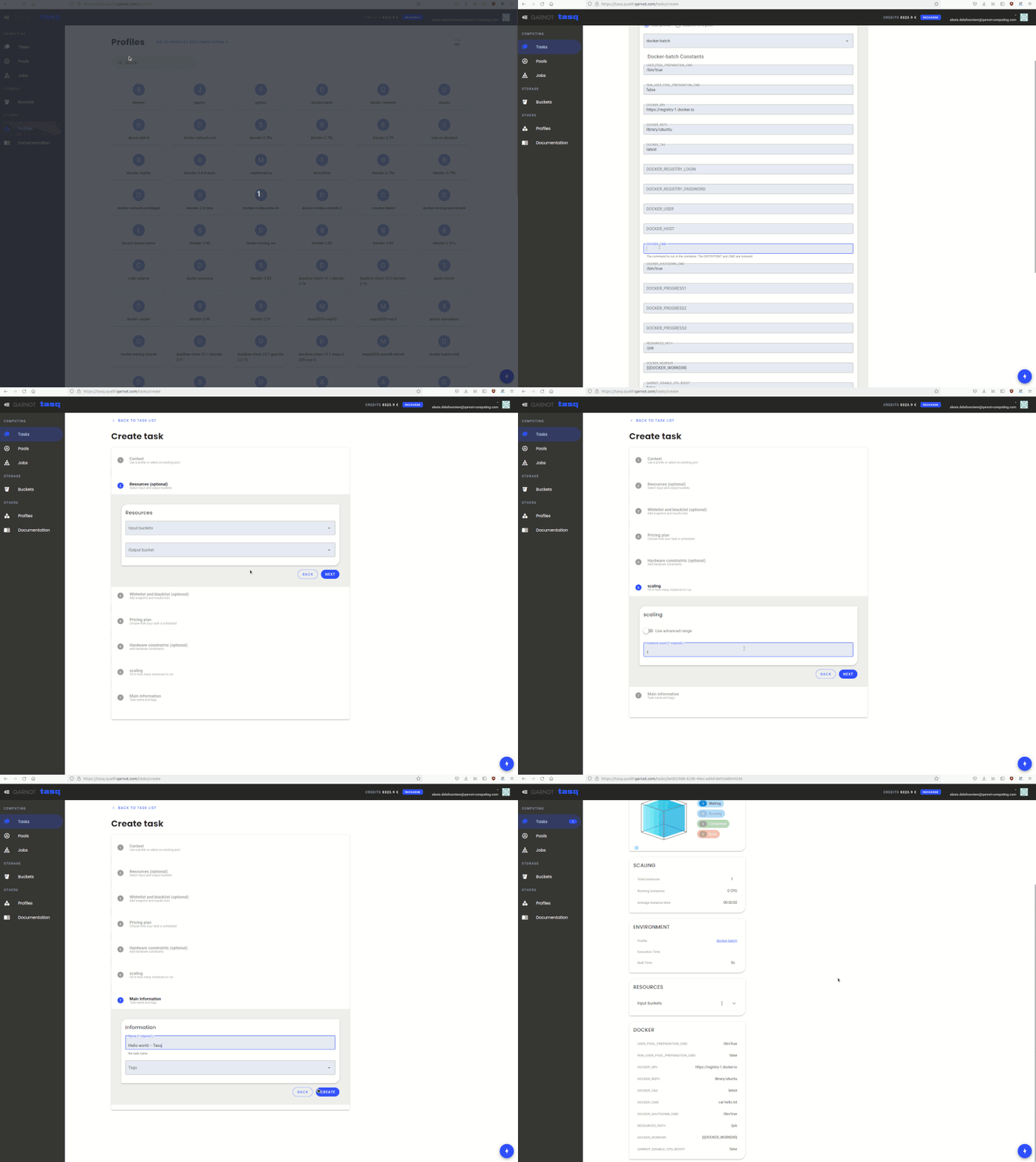
To create a task, you need to go to Tasq, enter the Tasks tab on the left and click Create task. Then follow these steps:
Select the profile for the task. Fields for all available constants will then appear. Some may have default values. You don't need to specify every constant. For more information, you can read our articles on Choosing the right profile and Parameterizing a profile with constants. Alternatively, you can start your task in a pool, see the Using pools page.
Select the input buckets and the output bucket. Both are optional.
You can then specify whitelists and blacklists to limit output stored in the output bucket. See the section Managing your data to learn more about how to create and manage buckets.
Choose your pricing plan.
If you need your task to run on specific hardware, use Specifying hardware. With Tasq, you can only specify one constraint. If you want to add more constraints, we will need to use either a SDK, the CLI, or the API directly.
Choose the number of instances or enter an advanced range in Instances count. See Launching multiple instances for more information.
Choose the name of your task and potentially add tags to it.
Here is a video that shows a how to create an example task. It will print a simple file received as part of the example bucket specified as input.
Related Article
For more information on Launching tasks please consult the following articles:
Core concept Task: which describes how tasks behave and their status